Category: Software & Apps

  • How to Cancel Amazon Prime (Step-by-Step)

    Amazon Prime is a paid membership that renews automatically. If you no longer want the benefits or want to avoid future charges, this guide explains exactly how to cancel Amazon Prime and stop auto-renewal, based on how you subscribed.

    Important: You must cancel through the same platform you used to subscribe (website, iPhone, or Android).

    How to Cancel Amazon Prime on the Website
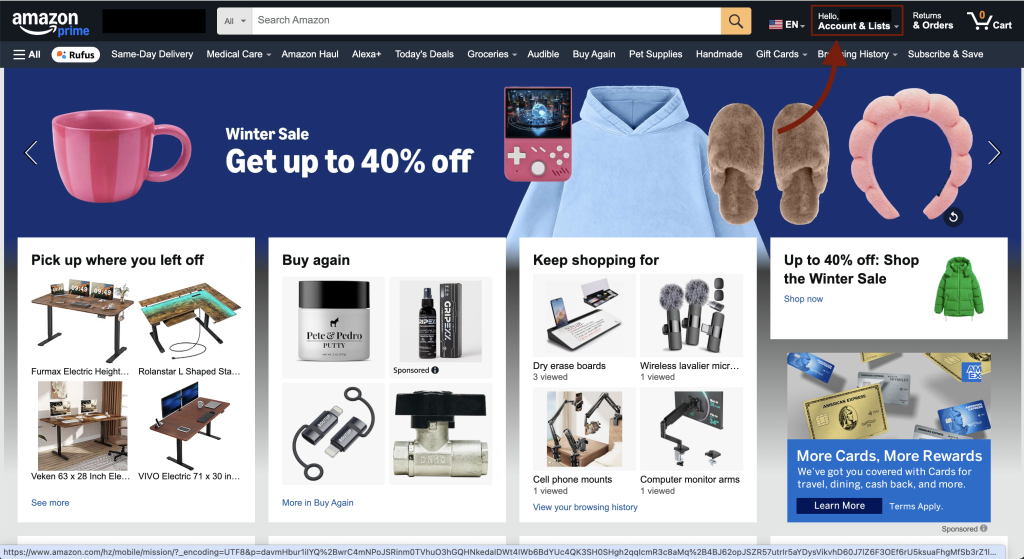
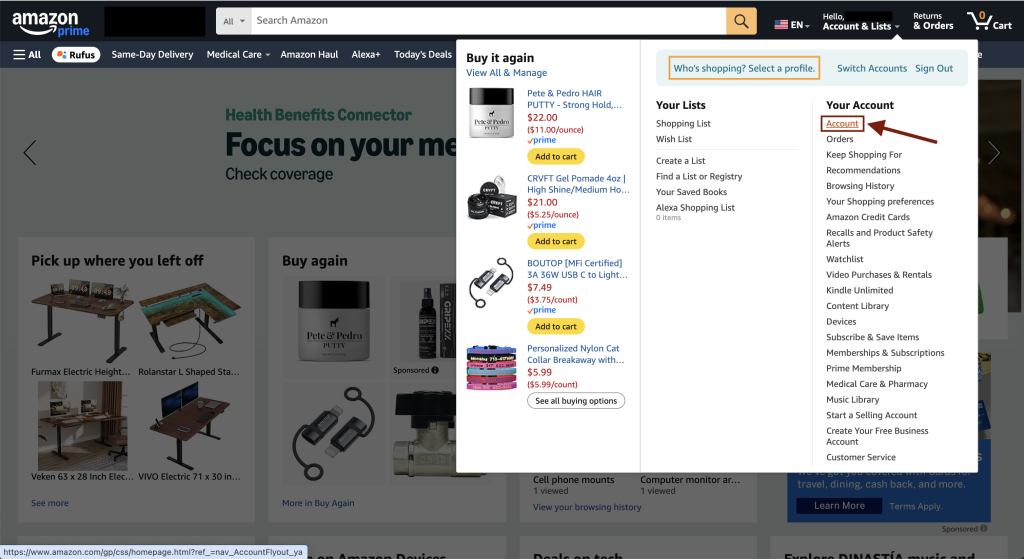
    Amazon account menu showing the Account & Lists option after logging in
    Step 1: Log in to your Amazon account and hover over Account & Lists in the top navigation.
    Amazon account list with the Account option selected
    Step 2: Click Account to open your account dashboard.
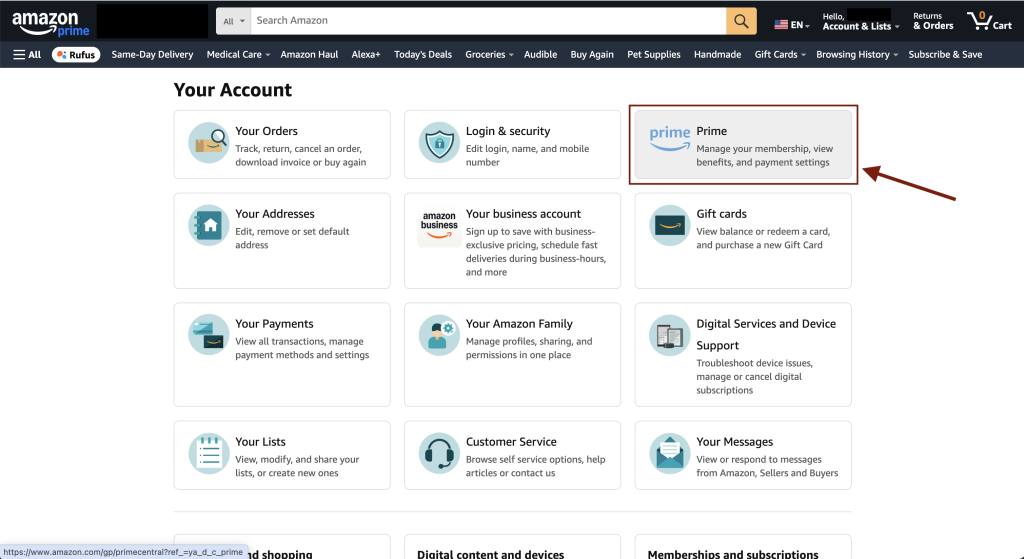
    Amazon Prime membership tile displayed on the account page
    Step 3: Select the Prime option (Prime membership tile).
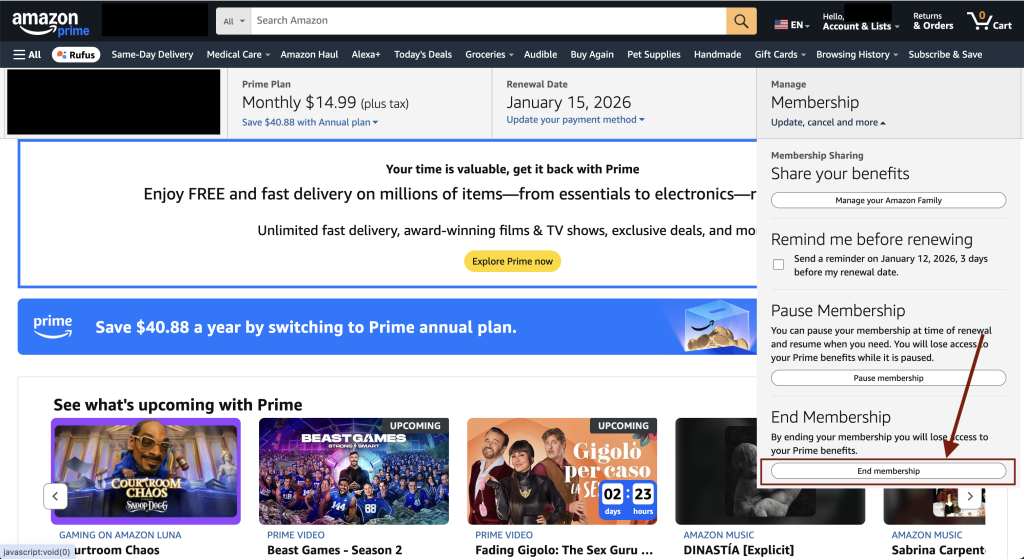
    Amazon Prime membership page showing the End Membership option
    Step 4: Click End Membership on the Amazon Prime page.
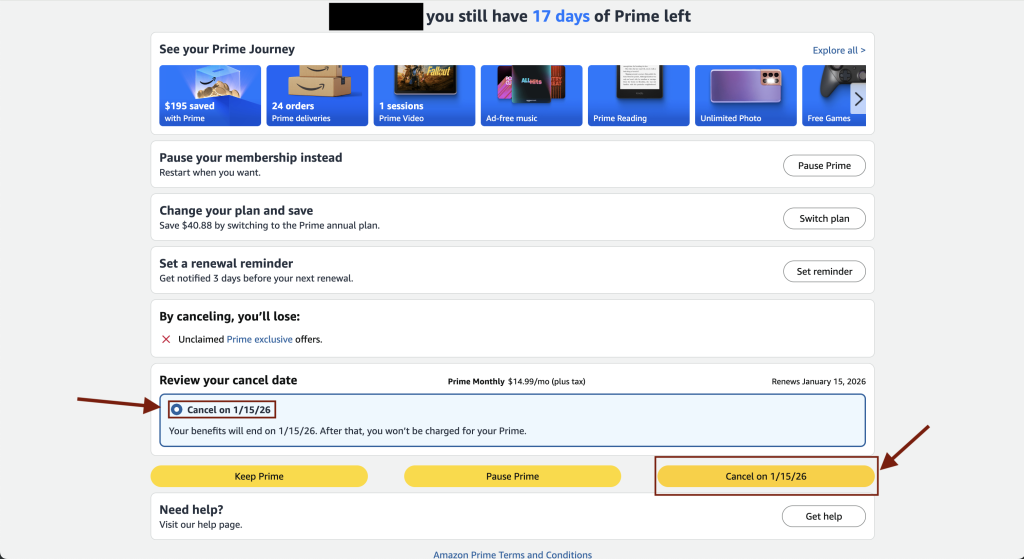
    Amazon Prime cancellation screen with the Review your cancel date option selected
    Step 5: Choose Review your cancel date, then confirm by clicking Cancel to stop auto-renewal.

    How to Cancel Amazon Prime on iPhone or iPad

    1. Open Settings.
    2. Tap your Apple ID.
    3. Tap Subscriptions.
    4. Select Amazon Prime.
    5. Tap Cancel Subscription.

    How to Cancel Amazon Prime on Android

    1. Open the Google Play Store.
    2. Tap your profile icon.
    3. Tap Payments & subscriptions.
    4. Select Amazon Prime.
    5. Tap Cancel subscription.
  • How to Cancel LeetCode Premium (Step-by-Step)

    LeetCode Premium is a paid subscription that renews automatically. If you no longer need it or want to avoid future charges, this guide shows exactly how to cancel LeetCode Premium, depending on how you originally subscribed.

    Important: You must cancel through the same platform you used to subscribe (website, iPhone, or Android).

    How to Cancel LeetCode Premium on the Website

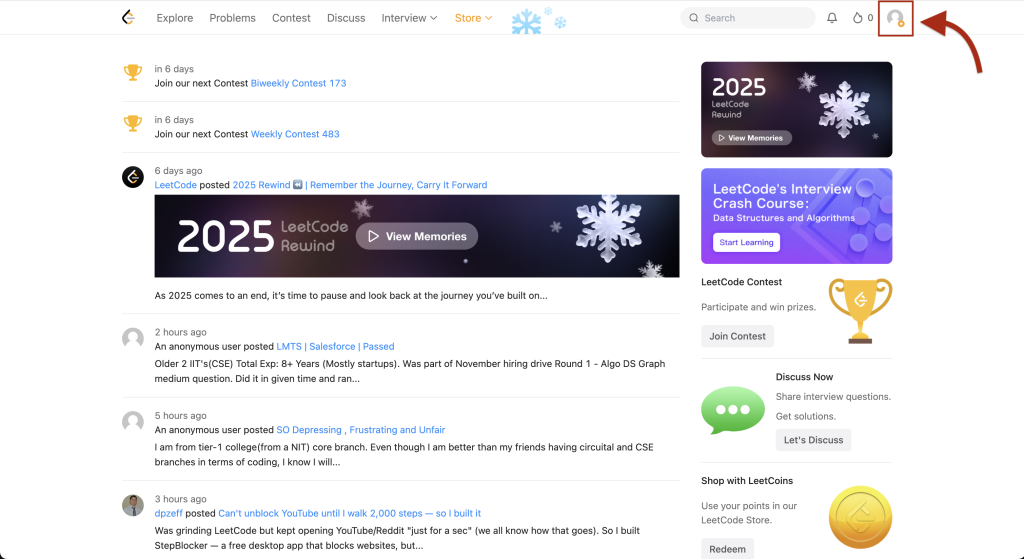
    LeetCode home page opened opened after logging into the account
    Step 1: Log in to your LeetCode account and click your profile icon.
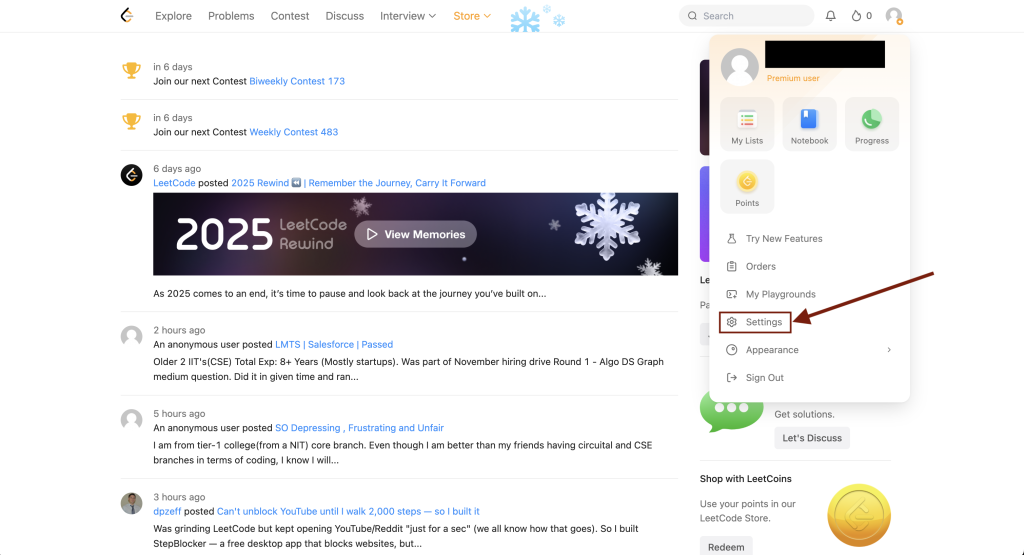
    LeetCode account settings page accessed from the profile menu
    Step 2: Open the Settings menu from your profile.
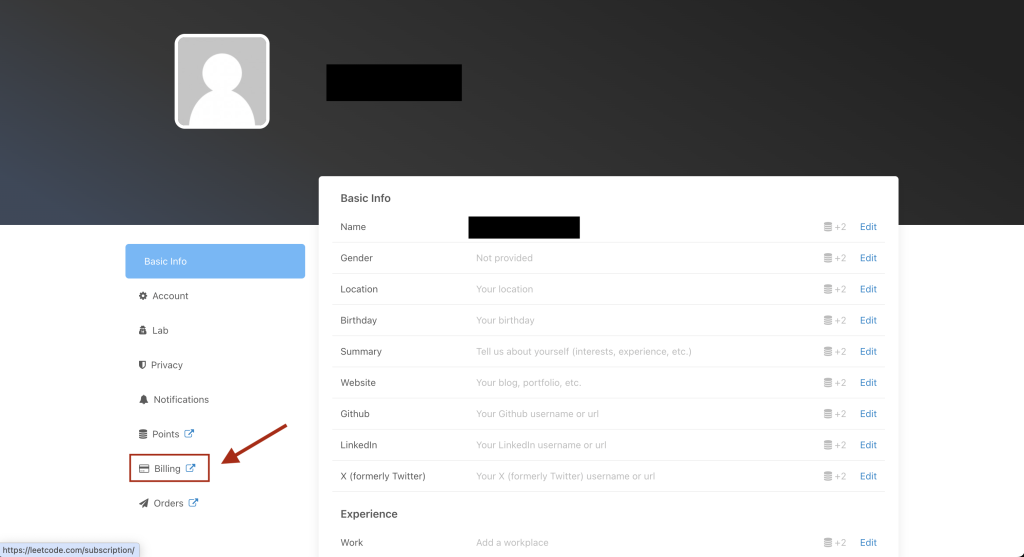
    LeetCode billing option shown after clicked on profile icon.
    Step 3: Go to the Billing section in account settings.
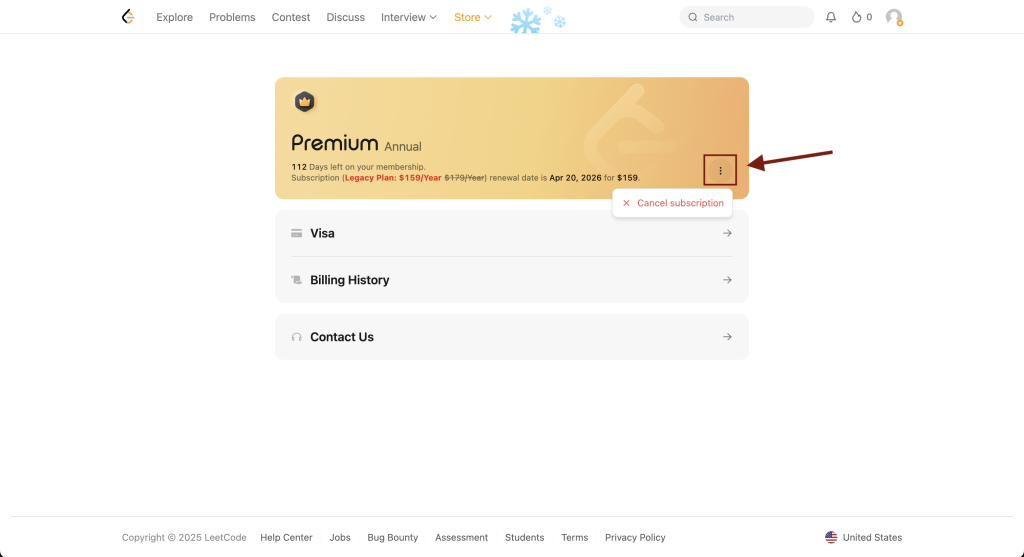
    Cancel LeetCode Premium option shown under the three dot menu
    Step 4: Click the three dots to reveal the cancel subscription option.

    How to Cancel LeetCode Premium on iPhone or iPad

    1. Open Settings.
    2. Tap your Apple ID.
    3. Tap Subscriptions.
    4. Select LeetCode.
    5. Tap Cancel Subscription.

    How to Cancel LeetCode Premium on Android

    1. Open the Google Play Store.
    2. Tap your profile icon.
    3. Tap Payments & subscriptions.
    4. Select LeetCode.
    5. Tap Cancel subscription.