LeetCode Premium is a paid subscription that renews automatically. If you no longer need it or want to avoid future charges, this guide shows exactly how to cancel LeetCode Premium, depending on how you originally subscribed.
Important: You must cancel through the same platform you used to subscribe (website, iPhone, or Android).
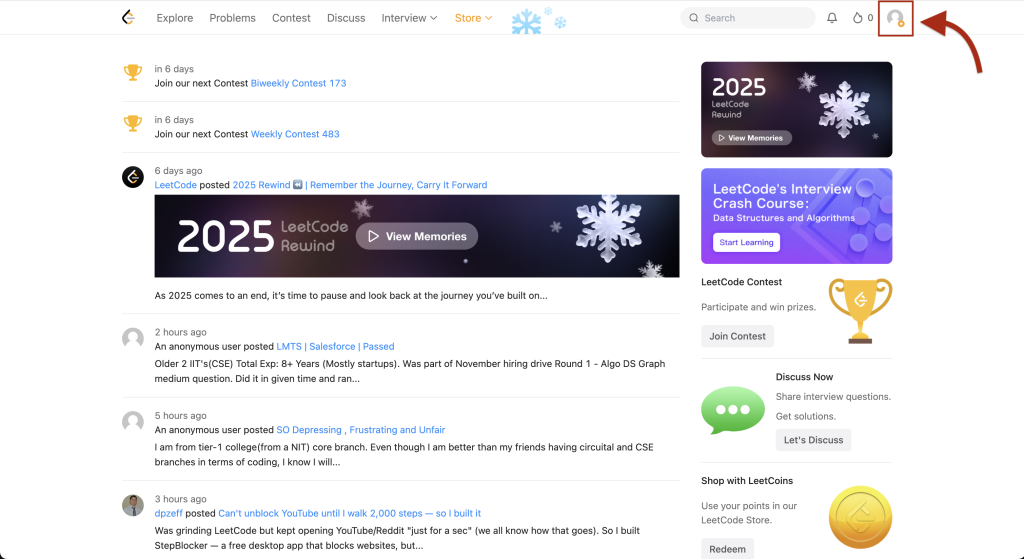
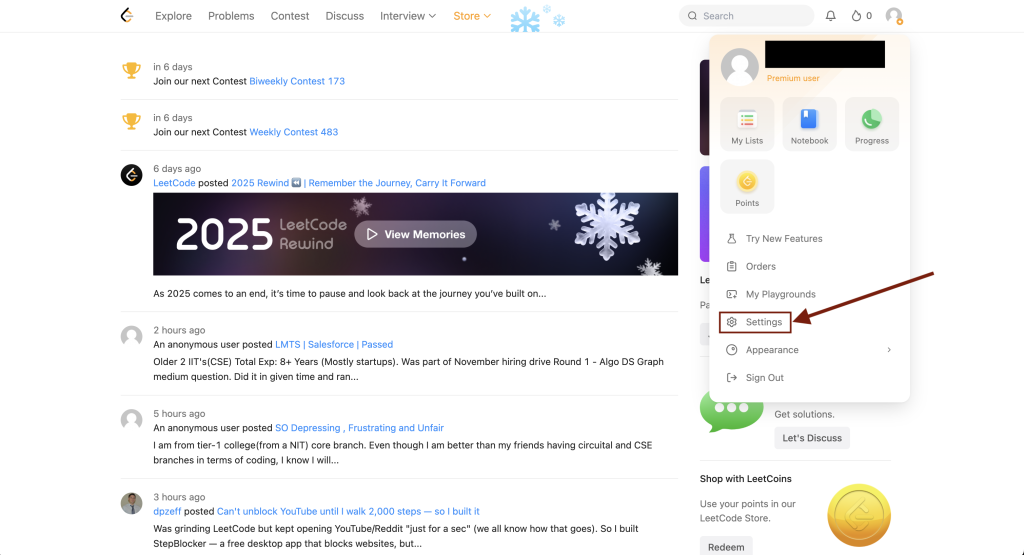
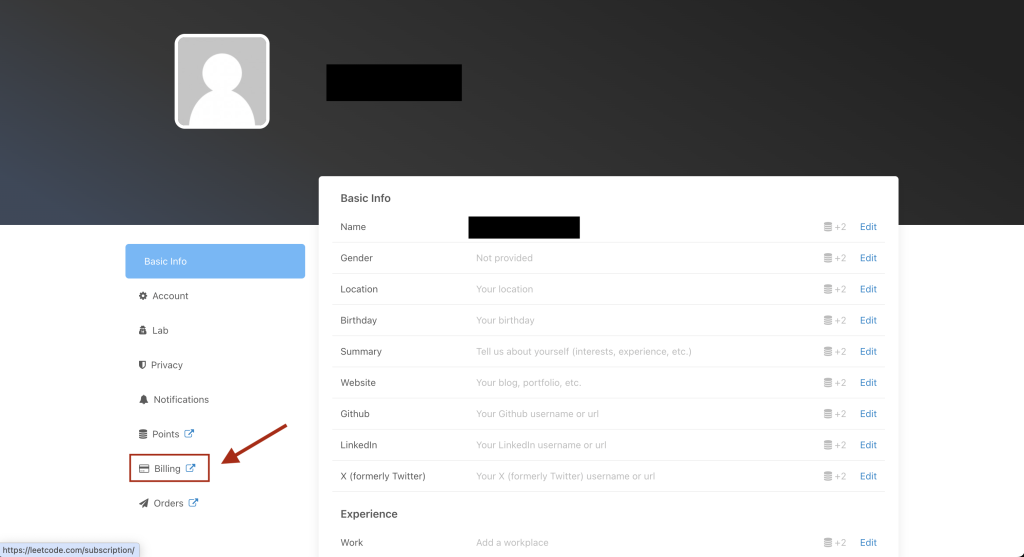
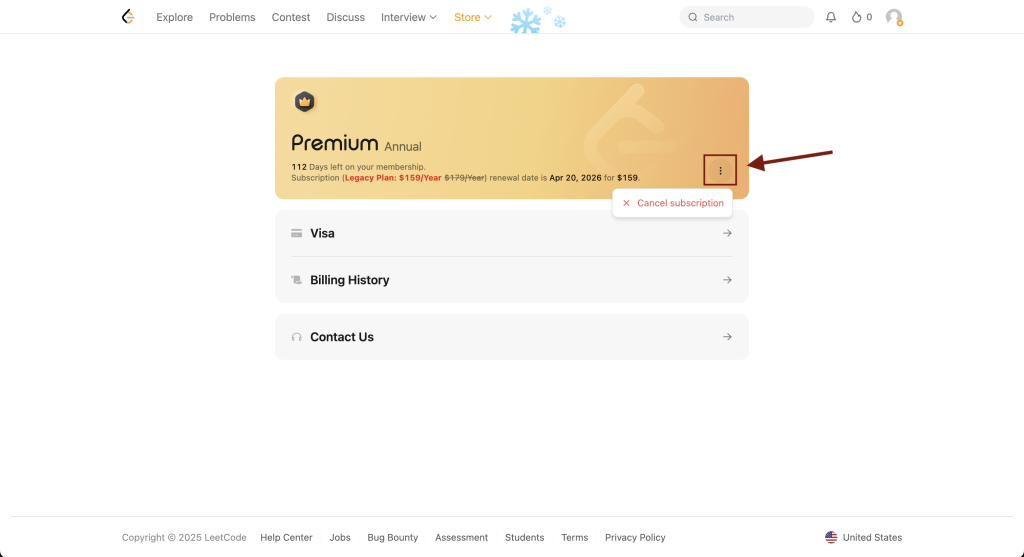
How to Cancel LeetCode Premium on the Website
How to Cancel LeetCode Premium on iPhone or iPad
- Open Settings.
- Tap your Apple ID.
- Tap Subscriptions.
- Select LeetCode.
- Tap Cancel Subscription.
How to Cancel LeetCode Premium on Android
- Open the Google Play Store.
- Tap your profile icon.
- Tap Payments & subscriptions.
- Select LeetCode.
- Tap Cancel subscription.
Leave a Reply