How to Cancel Audible (Step-by-Step)

Audible is a paid audiobook subscription that renews automatically. If you no longer want your membership or want to avoid future charges, this guide shows exactly how to cancel Audible, depending on how you originally subscribed.

Important: You must cancel Audible through the same platform you used to subscribe (website, iPhone, or Android).

How to Cancel Audible on the Website
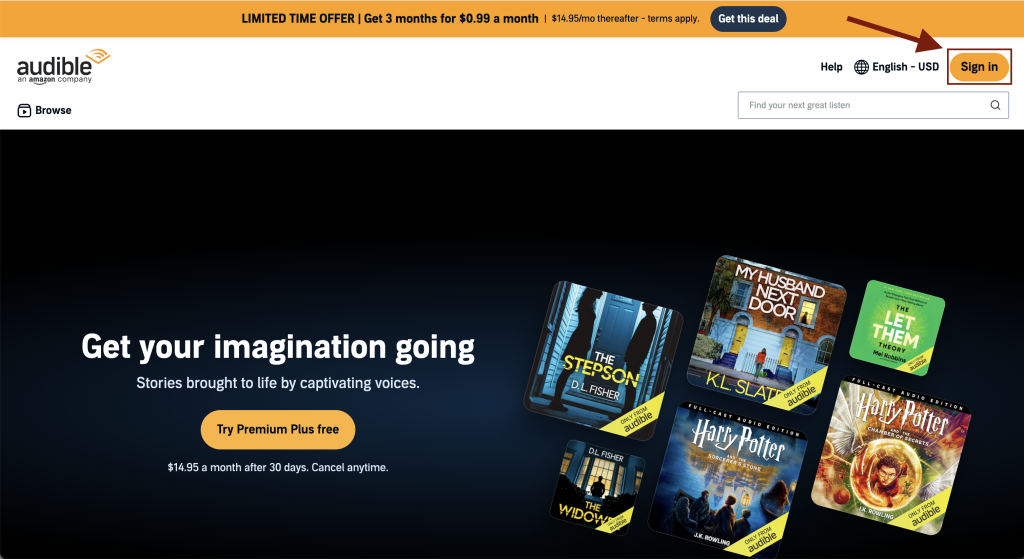
Audible homepage showing the Sign In button in the top navigation
Step 1: Go to the Audible website and click Sign In.
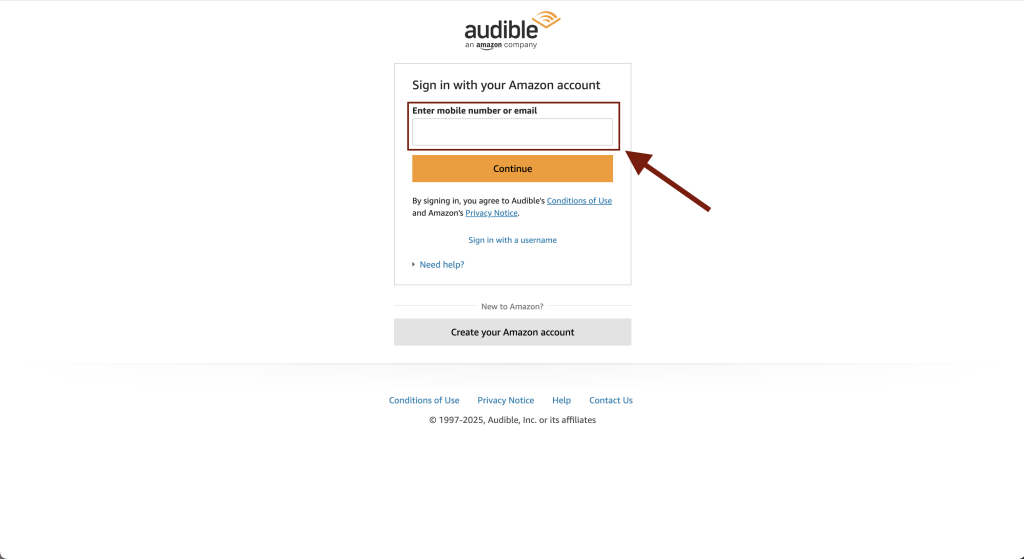
Audible sign-in page prompting users to log in with an Amazon account
Step 2: Log in using the Amazon account you used to sign up for Audible.
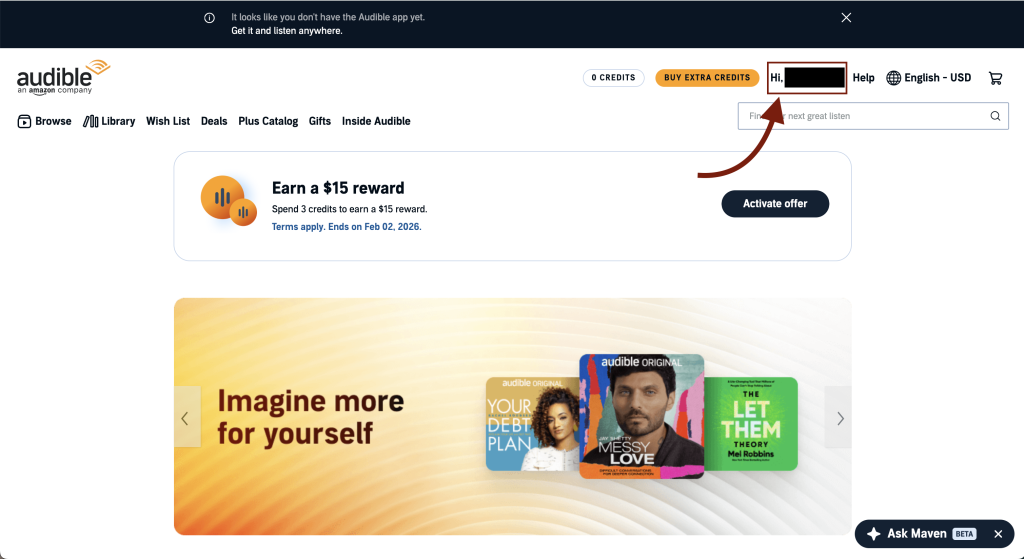
Audible account page displaying the Hi, username menu at the top
Step 3: Click Hi, [Your Name] at the top of the Audible page.
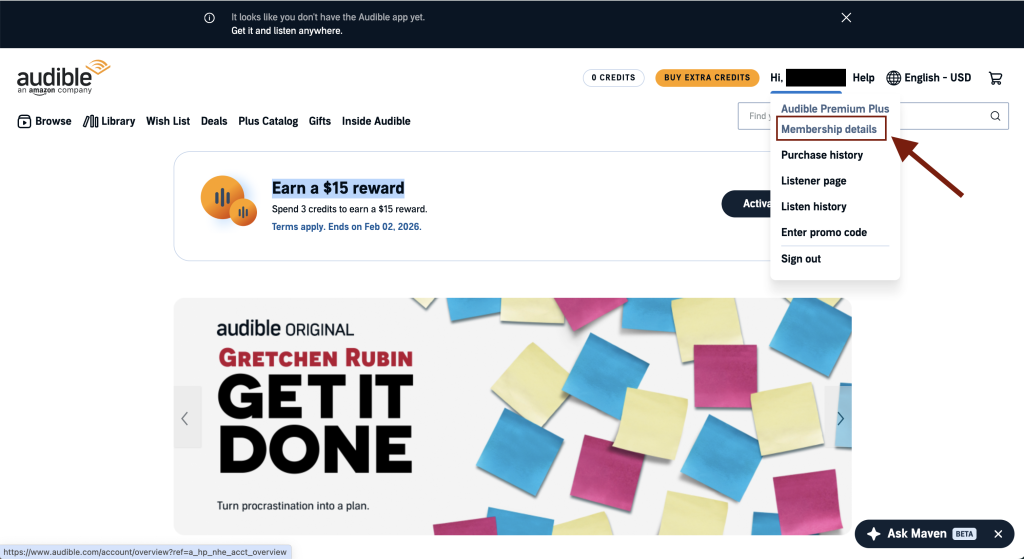
Audible account dropdown menu showing the Membership details option
Step 4: Select Membership details from the dropdown menu.
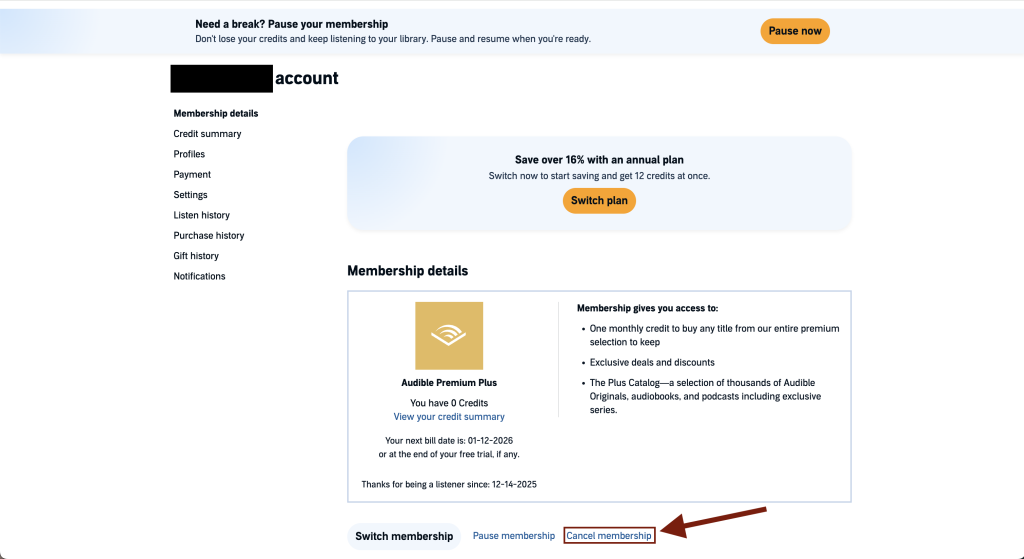
Audible membership details page showing the Cancel membership option
Step 5: On the Membership details page, click Cancel membership.
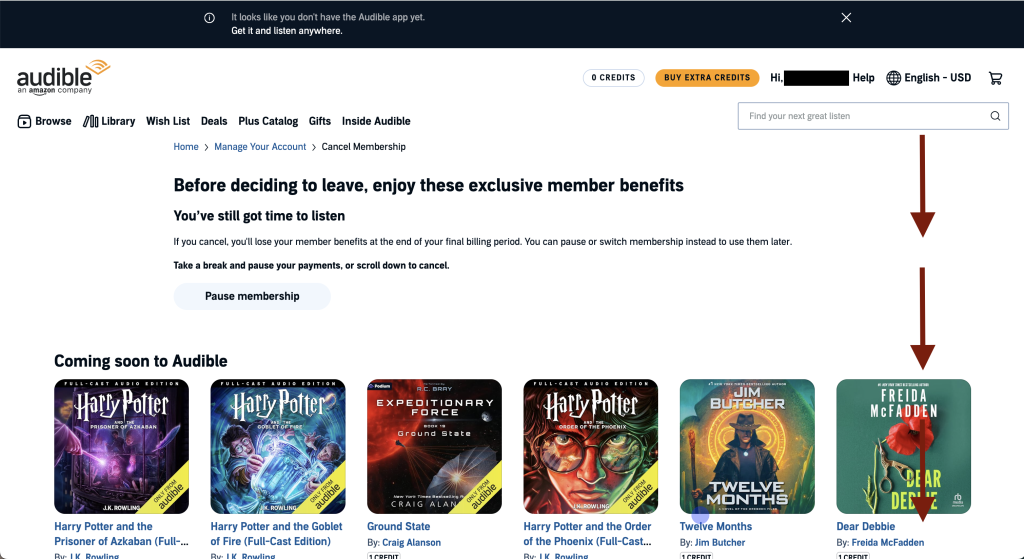
Audible page offering the option to pause membership after selecting cancel
Step 6: When prompted to pause your membership, scroll to the bottom of the page.
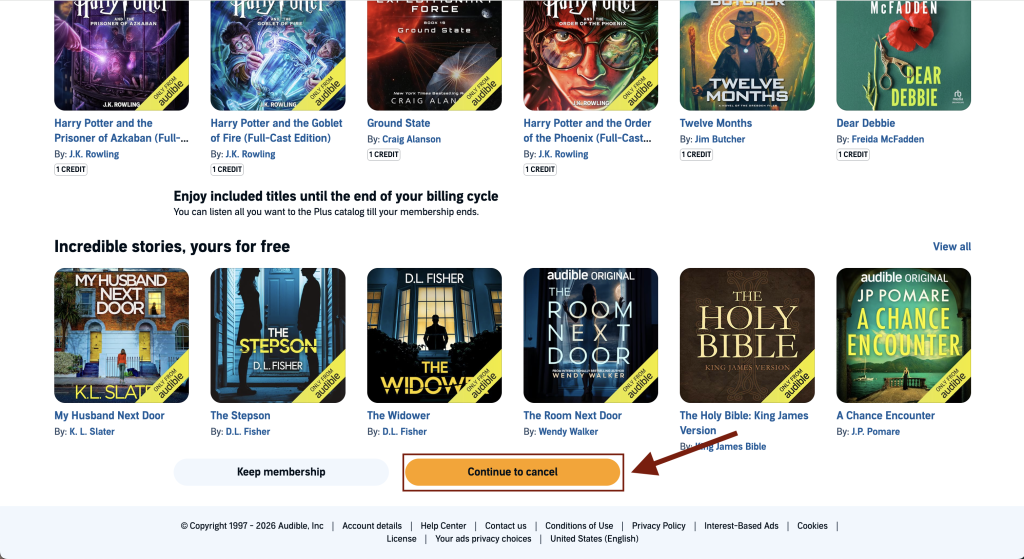
Audible cancellation page showing the Continue to cancel button at the bottom
Step 7: Click Continue to cancel to proceed.
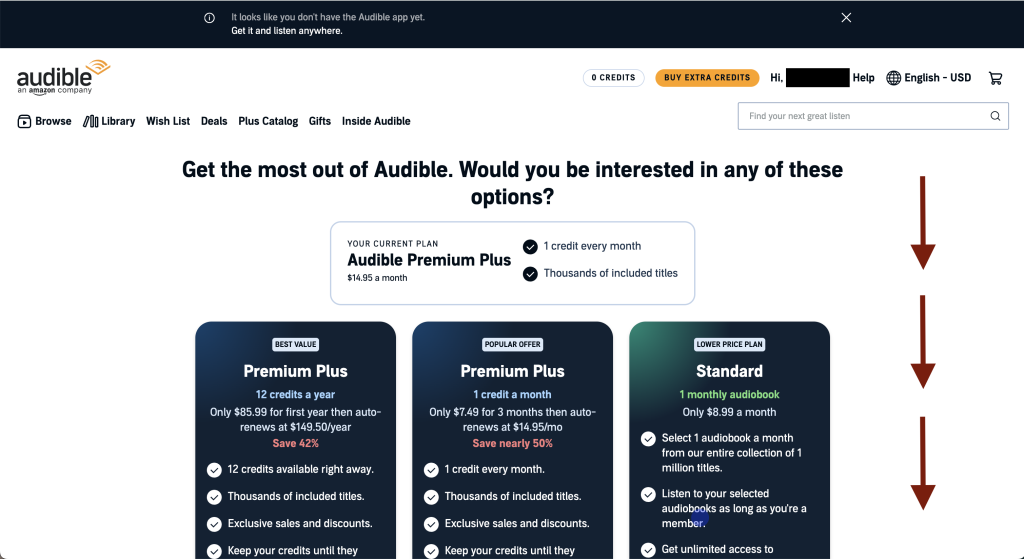
Audible page displaying alternative subscription plans during cancellation
Step 8: Ignore the plan switch offer and scroll down the page.
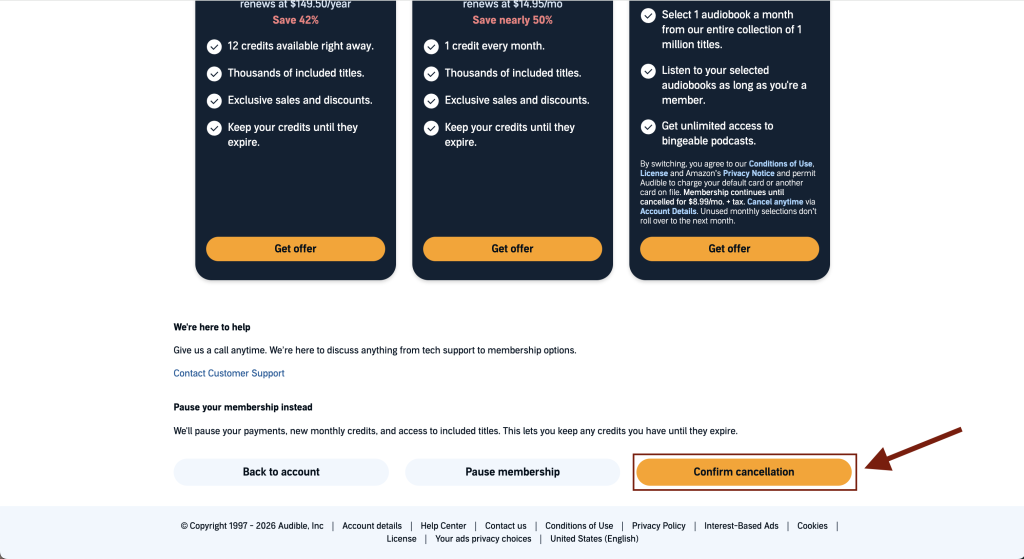
Audible cancellation confirmation page with the Confirm cancellation option
Step 9: Click Confirm Cancellation to continue.
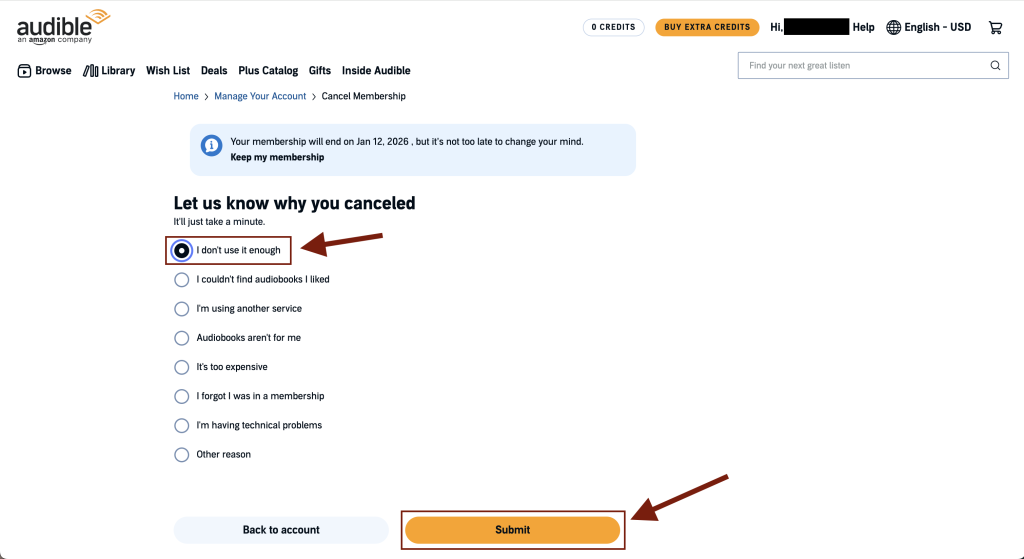
Audible cancellation page showing a list of reasons and a Submit button
Step 10: Select a cancellation reason and click Submit to finish canceling Audible.

How to Cancel Audible on iPhone or iPad

  1. Open Settings.
  2. Tap your Apple ID.
  3. Tap Subscriptions.
  4. Select Audible.
  5. Tap Cancel Subscription.

How to Cancel Spotify Premium on Android

  1. Open the Google Play Store.
  2. Tap your profile icon.
  3. Tap Payments & subscriptions.
  4. Tap Subscriptions.
  5. Select Audible.
  6. Tap Cancel subscription.

Comments

Leave a Reply

Your email address will not be published. Required fields are marked *